
Table of Contents
- Why Rural Internet Signal Strength Is Weak in the First Place
- Step 1: Check Your Current Signal and Set a Baseline
- Rural Internet Antenna Placement: Where to Put It for the Best Reception
- How to Improve 4G Signal in Rural Areas
- How to Improve Wi-Fi Signal in a Rural Area
- Rural Broadband Speed Troubleshooting: What to Check Before You Call
- When to Contact Your Provider About a Weak Signal
- Frequently Asked Questions
Last Updated: October 21, 2026
Why Rural Internet Signal Strength Is Weak in the First Place
Distance is the enemy. In rural Manitoba, the nearest cell tower or transmitter can sit many kilometres from your home, and signal strength drops with every metre of that gap. Trees, hills, and the walls of your house all eat into what’s left.
We see the same pattern across Winnipeg and the surrounding region. A weak rural internet signal rarely comes from one big failure. It comes from a stack of small ones:
- Distance from the tower or access point
- Dense tree cover and flat, wide-open terrain that offers no natural shield
- Cheap or badly aimed antennas on the roof
- Long cable runs that bleed signal before it reaches the router
- A router shoved in a basement corner, fighting concrete and ductwork
Here’s the part most guides get wrong: people buy a booster before they know what’s actually broken. A stronger antenna won’t fix a bad cable run. A mesh system won’t fix a weak signal arriving at the house.
So before you spend a dollar, measure. That’s step one.
Step 1: Check Your Current Signal and Set a Baseline
A baseline is a written record of your current signal strength and speed, taken in several spots around your property. Without it, you’re guessing whether any fix worked.
Start with the basics. Run a speed test on a device connected by cable to the router, then run it again on Wi-Fi in three rooms. Note the results, the time of day, and the weather. Rural signal shifts with all three.
Next, check the signal reading on your modem or antenna. Most 4G and fixed-wireless units show signal strength in decibels (dBm). A reading closer to zero is stronger; a reading like -110 dBm is weak. Your provider’s manual will tell you where to find it.
Write everything down in a simple table:
| What to record | Where to check | Why it matters |
|---|---|---|
| Wired speed | Speed test on a laptop | Shows what the line can actually deliver |
| Wi-Fi speed by room | Speed test on phone | Shows where coverage dies |
| Signal strength (dBm) | Modem or antenna admin page | Shows how strong the incoming signal is |
| Time of day | Your notes | Peak hours often drop speeds |
| Weather | Your notes | Storms and heavy cloud affect wireless links |
Test at the same time each day for a week. A single test on a quiet Sunday morning will make almost any connection look fine. The 7 PM reading is the one that tells the truth.
Rural Internet Antenna Placement: Where to Put It for the Best Reception
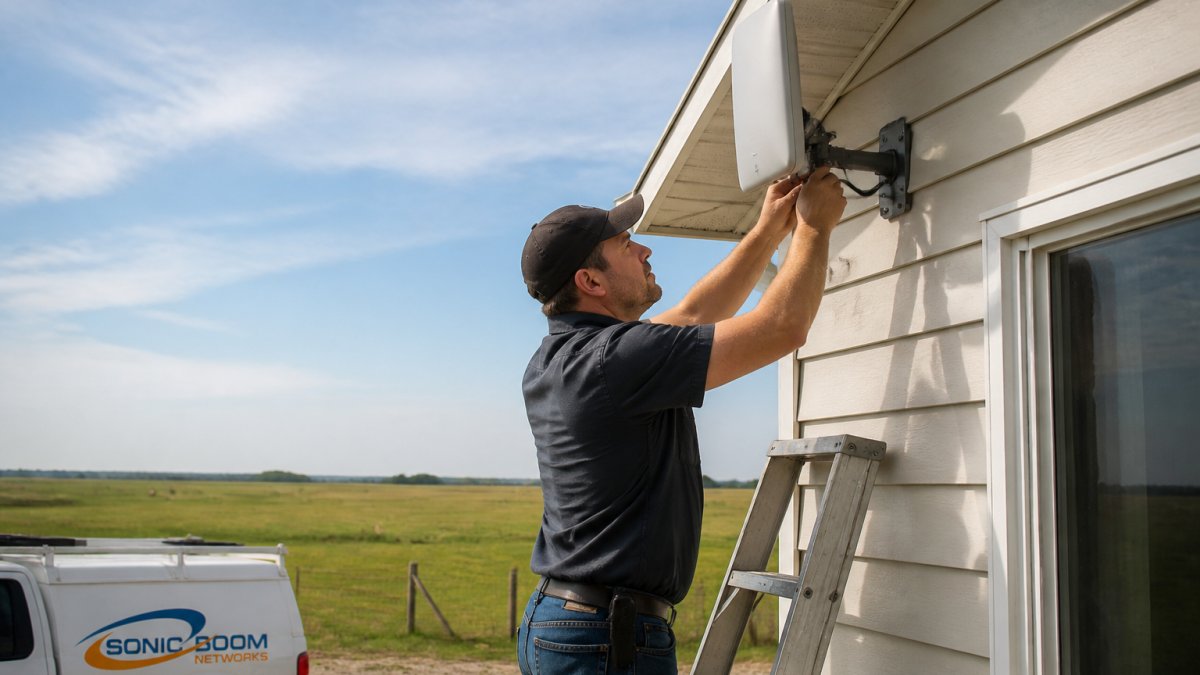
Antenna placement is the single highest-impact change most rural homes can make. The right spot can lift a weak signal into a usable one without any new hardware.
Height, Line of Sight, and Obstructions
Get the antenna above the treeline and aimed at the tower. Every metre of height helps, and a clear line of sight matters more than raw power.
Walk your property with your phone in hand and watch the signal reading. The best spot is often not where it’s convenient. It’s where the tower is visible, or nearly so.
Avoid these common mistakes:
- Mounting behind a metal roof or chimney
- Aiming through a dense stand of spruce
- Placing the antenna on the side of the house facing away from the tower
Mounting Options and Cable Runs
Keep the cable run as short as you can. A long, low-quality cable loses more signal than a good antenna gains.
Use a single unbroken cable where possible. Every connector and splitter adds loss. If you must run cable far, use a thicker, lower-loss type and seal every outdoor joint against Manitoba winters.
How to Improve 4G Signal in Rural Areas
The fastest way to improve 4G signal in rural areas is to move the antenna higher and aim it precisely at the nearest tower. Small alignment changes often beat expensive hardware upgrades.
Work through this list in order:
- Find the tower. Use your provider’s coverage map, then point the antenna at it.
- Raise the antenna until the signal reading stops improving.
- Lock the band if your modem allows it. Some bands travel farther in open country.
- Add a directional antenna if you’re still weak. A focused antenna beats an omni one at distance.
- Re-test after every change, using your baseline table.
A common mistake is buying a signal booster first. Boosters amplify noise as well as signal. Fix the antenna and cable run before adding one.
How to Improve Wi-Fi Signal in a Rural Area
To improve Wi-Fi signal in a rural area, put the router high, central, and out in the open. Most weak Wi-Fi inside a rural home is a placement problem, not a hardware problem.
Router Placement and Channel Settings
Concrete, metal, and water tanks all block Wi-Fi. So does a basement corner.
- Place the router on a main floor, central, and off the floor
- Keep it away from the furnace, fridge, and metal shelving
- Point antennas straight up for single-floor coverage
- Switch to the 5 GHz band for close devices, 2.4 GHz for distance
- Set the channel manually if your area is crowded
Extenders, Mesh Systems, and When They Actually Help
An extender repeats a signal; it doesn’t create one. If the signal arriving at your house is already weak, an extender just repeats weakness.
Mesh systems help in large or oddly shaped homes where one router can’t reach every room. They work best when the incoming connection is solid.
Buying a mesh system to fix a weak incoming rural internet signal is the most common wasted purchase we see. Fix the outside signal first, then improve Wi-Fi inside.
Rural Broadband Speed Troubleshooting: What to Check Before You Call
Before you call anyone, rule out the problems on your side of the wall. Rural broadband speed troubleshooting starts with a short, honest checklist.
- Restart the modem and router, then re-test
- Test with a cable, not Wi-Fi
- Check how many devices are streaming or updating
- Look for a data cap or throttling notice on your account
- Confirm the antenna hasn’t shifted in wind or snow
- Check every outdoor cable joint for water damage
- Re-run your baseline table and compare
If the wired speed is fine and only Wi-Fi is slow, the problem is inside. If both are slow, the problem is outside or upstream.
When to Contact Your Provider About a Weak Signal
Call your provider when your own checks point upstream. That means slow wired speeds, a weak signal reading that won’t improve with height or aiming, or repeated dropouts at the same time each day.
Have your baseline table ready. A provider can act far faster when you can say “wired speed drops to this level every evening” than when you say “it’s slow.”
Ask three questions:
- Is there a known issue on my tower or sector?
- Can you check my signal reading from your side?
- Is a site visit or antenna adjustment possible?
At Sonic Boom Networks, our team supports rural Manitoba customers around the clock, 360 days a year, with no contracts and no data limits. If a signal problem is on our side, we want to hear about it.
Measure first, fix the outside signal, then improve Wi-Fi inside. That order saves money and solves most rural signal problems.
Weak rural internet signal is frustrating, but it’s rarely permanent. Most homes in and around Winnipeg can gain real speed by measuring their baseline, fixing antenna placement, and tightening the cable run before buying anything new.
If you’ve done the checks and your provider still can’t deliver, Sonic Boom Networks offers reliable high-speed internet for rural Manitoba with no contracts, no data limits, and 24/7 support from a local team. See our plans and find out what’s available at your property.
Frequently Asked Questions
Will moving my router improve rural internet signal strength?
Moving your router can help, but only for the Wi-Fi portion of the signal, not the connection coming into your home. Place it high, central, and away from metal appliances, concrete walls, and water tanks. For a rural internet signal that is weak at the source, router placement won’t fix it. You need to address the incoming connection first, usually through better antenna placement or a provider that delivers a stronger signal to your property.
Can an outdoor antenna improve rural internet reception?
Yes, an outdoor antenna is often the single biggest improvement for rural internet signal strength. Mounting it higher and with a clear line of sight to the nearest tower or access point reduces obstructions and boosts reception. Directional antennas work best when you know where the signal comes from, while omnidirectional models suit uncertain tower locations. Professional installation and a proper cable run matter as much as the antenna itself.
Do Wi-Fi extenders improve internet speed in rural homes?
Extenders stretch Wi-Fi coverage into dead zones, but they do not increase the speed coming into your home. If your rural internet signal is already slow at the router, an extender will simply repeat that slow speed over a wider area. Fix the incoming signal first with antenna placement or a provider check, then use a mesh system or extender to cover large rural homes and outbuildings.
How do I know when it’s time to call my provider about a weak signal?
Call your provider when you have tried router placement, antenna adjustments, and a speed test at the router itself and the numbers still fall short of your plan. Also call if speeds drop at the same time each day, if your connection drops during calls or point-of-sale transactions, or if weather consistently affects performance. A provider like Sonic Boom Networks can check signal levels on your line and confirm whether the issue is on their end or inside your home.